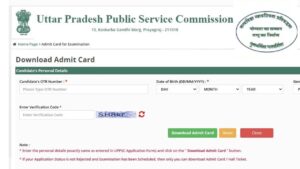


Uttar Pradesh Public Service Commission (UPPSC) has released the PCS Preliminary Exam 2025 admit card in 30 September 2025. The UPPSC 2025 Preliminary Exam will be conducted on 12 October 2025, in offline mode. Candidates who have applied for this recruitment can download their admit card by visiting the official website of UPPSC.
Candidates will need their Registration number, Enrollment number, Date of birth, or Password to download UPPSC PCS Admit Card 2025. The direct link to download the admit card is also available below.
UPPSC PCS Admit Card 2025
Uttar Pradesh Public Service Commission (UPPSC) : Short Details of Notification
A-1/E-1/2025 | Short Details of Notification
Important Date
- Exam Date : 12 October 2025
- Admit Card Date : 30 September 2025
- Result Date : Notified Soon
Application Fees
- General / OBC / EWS : 1000/-
- SC / ST : 500/-
- Pay the Exam Fee Through Online Mode Credit Card, Debit Card, Net Banking Only.
Age Limit
- Minimum Age : 21 Years.
- Maximum Age : 37 Years.
- Read the Notification for Age Relaxation in “Chandigarh JBT Primary Teacher Recruitment 2025“.
No. of Post
210 Posts
Selection Process
- Prelims Exam
- Mains Exam
- Interview
Papers:-
- Paper-1 : General Studies I
- Paper-2 : General Studies II (CSAT)
UP PCS Prelims Exam Shift Timing
| Papers | Shifts | Exam Timings |
|---|---|---|
| Paper 1 | Shift 1 (Morning Shift) | 9:30 am to 11:30 am |
| Paper 2 | Shift 2 (Evening Shift) | 2:30 pm to 4:30 pm |
Prelims Exam Pattern
- Mode of Exam- Offline (OMR-based)
- Type of Questions- Multiple Choice Questions (MCQ)
- Papers- Paper 1 (General Studies I) and Paper 2 (General Studies II- CSAT)
- Number of Questions- Paper 1- 150 and Paper 2- 100
- Duration of Exam- 2 hours each
- Negative Marking- 0.33% (Paper 1- 0.44 and Paper 2- 0.66)
Documents to be carried to the exam centres
- Admit Card Print out
- A valid photo ID proof (original and a photocopy):
Accepted IDs include:
Aadhaar Card
PAN Card
Voter ID
Passport
Driving License
Employee ID
College ID - Two recent passport-size photographs (the same as uploaded in the application form).
UPPSC PCS Admit Card 2025: How to Apply
- Visit the official website (https://uppsc.up.nic.in/) of UPPSC.
- On the homepage click on the “Download Admit Card” link for PCS Prelims 2025.
- Enter your Registration Number, Date of Birth, and Captcha Code.
- Verify the details again and click on the “Submit” button.
- Now, Your Admit Card will displayed on the screen.
- Check the admit card and download it for your further reference.
Some Useful Important Links
| Download Admit Card | Click Here |
| Check Exam date Notice | Click Here |
| Official Website | https://uppsc.up.nic.in/ |
| Age Calculator tool | Click Here |
| More Recruitments | Click Here |